
Spine 1.0 (planning)

Use Specification
Use Environment
In the context of designing a product for use in a doctor’s office, the use environment encompasses all the factors and conditions in that setting that could impact how the product is used. For instance, in a doctor’s office, this might include:
Physical Space
Lighting
Noise Levels
Ergonomics
User Profile
User profiles ensure that the design of the medical device aligns with the needs, preferences, and capabilities of its intended users. By understanding user demographics, experience levels, and job roles, designers can tailor the device's interface, controls, and functionalities to optimize usability and efficiency.
Surgeon Panel - Orthopedic, Neuro surgeon
The use specification defines the user group as a surgeon panel composed of neurosurgeons and orthopedic surgeons specifically for conducting usability assessments of a robotic spine application. This selection ensures that the device's usability is evaluated by professionals with expertise and experience relevant to its intended surgical applications. Their input and feedback are crucial for optimizing the device's design, functionality, and user interface to meet the specific needs and expectations of surgeons who will use it in spinal surgeries.
Lykert Scale

Task 1
TasK:
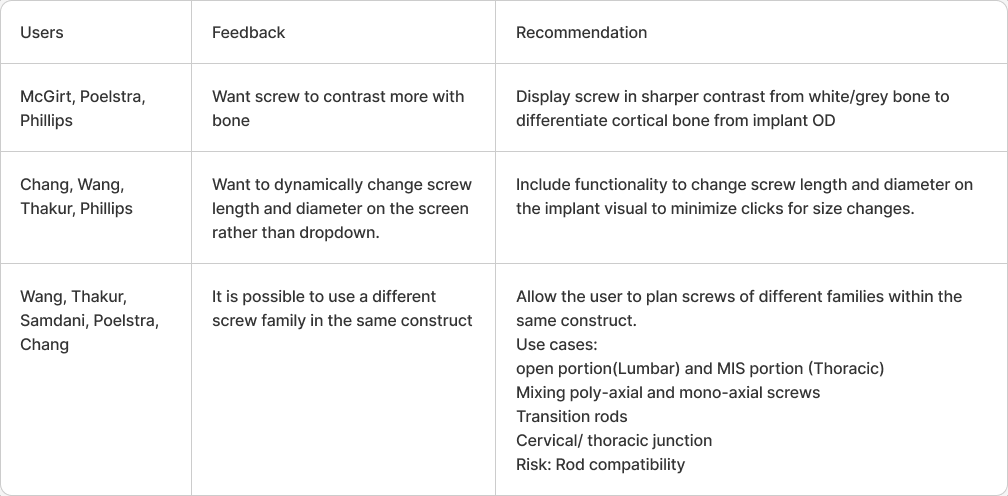
Please review and adjust the auto-populated screws on T12 Axial. Begin by clicking on the screw to modify its position.
Question:
How well does the application display implant positions?
Overall Score: 4.4
Feedback
Task 2
Task:
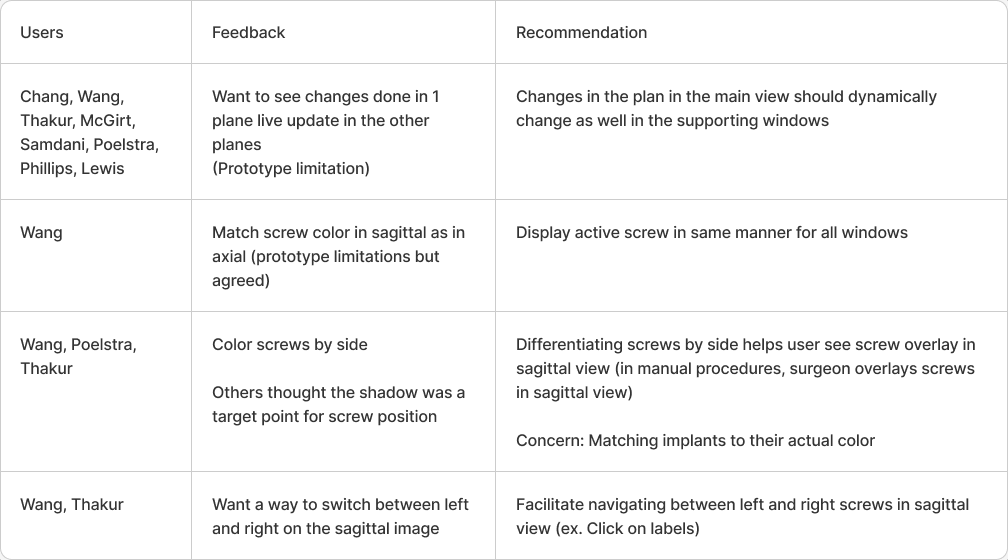
Adjust the T12 screws such that their trajectories are parallel to the superior endplate.
Question:
Does the system provide the necessary tools and visuals to size the screw appropriately? Which are you using?
Overall Score: 1.4
feedback
Task 3
Task:
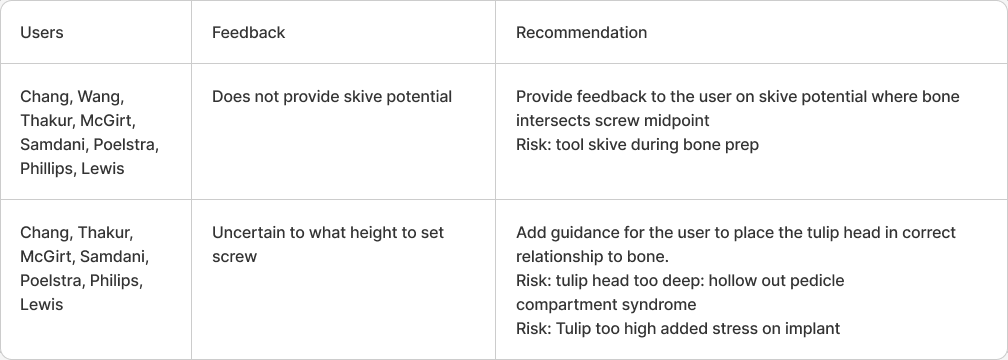
Plan L1 screws as desired
Question:
How would you like to view the screws in the Sagittal view in reference to the screw on the other side?
Overall Score: 3.1
Feedback
Task 4
Task:
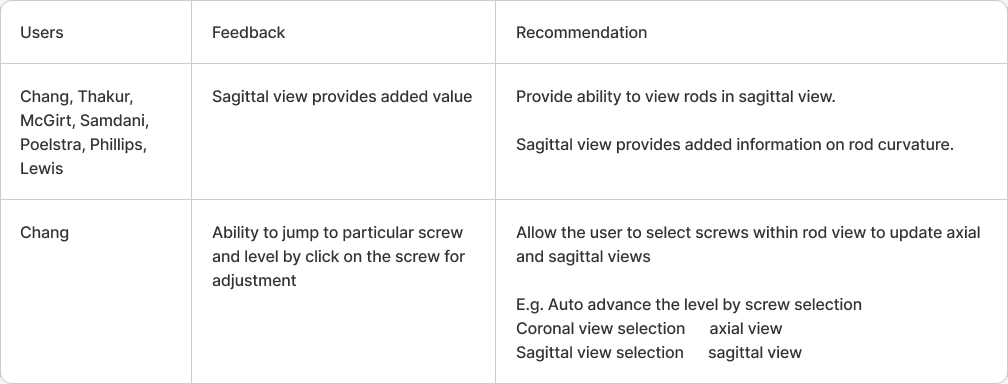
Review rod length
Question:
How well does the application facilitate knowing which side and level you are working on?
Overall Score: 2.4
Feedback
Task 5
Task:
Is it advantageous to view down the trajectory of the pedicle screw?
Question:
How well does the system provide the needed information to estimate skive potential at entry point?
Overall Score: 1.5
Task 6
Question 6:
What considerations should we have to help plan the position of the tulip head?
Overall Score: 4
Question 7
Question
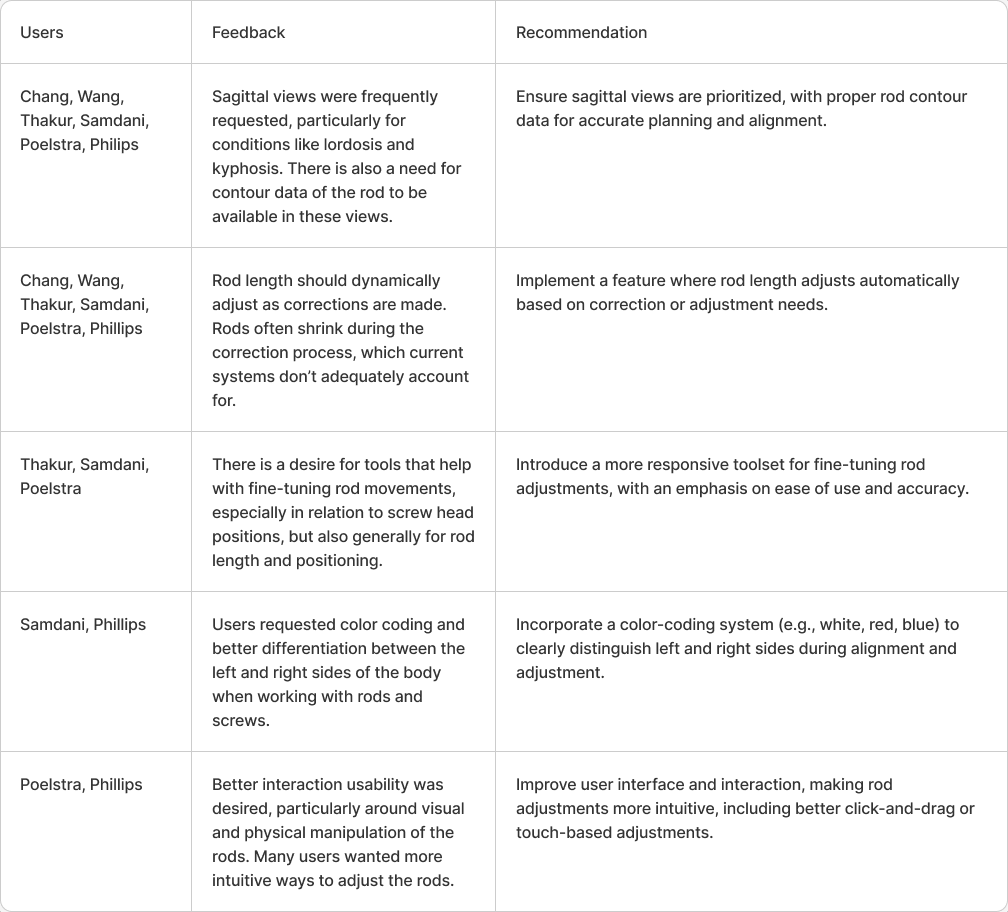
What information is useful for rod estimation? (Length? Display curvature in which planes(s)?)
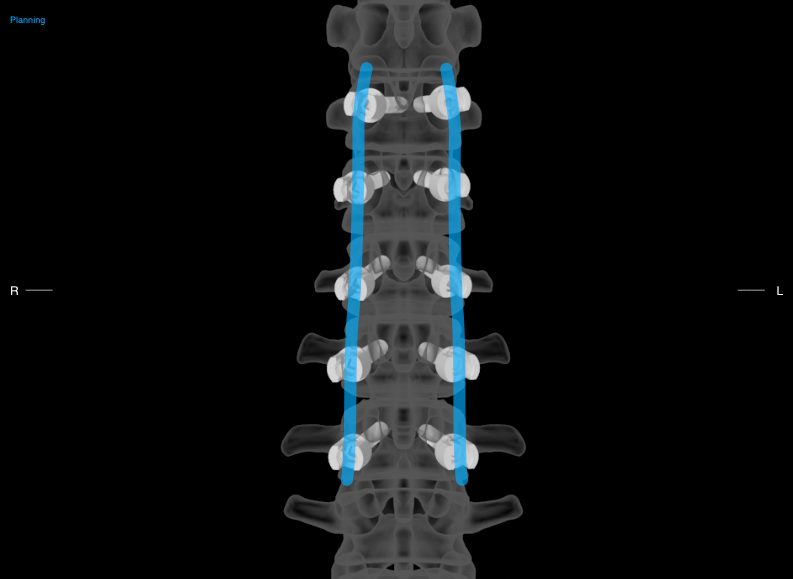
Overall Score: 4
Question 8
Question:
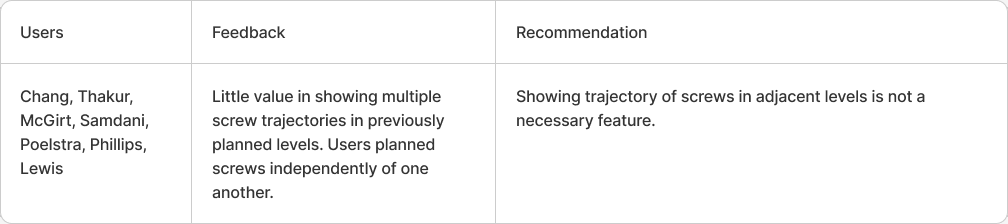
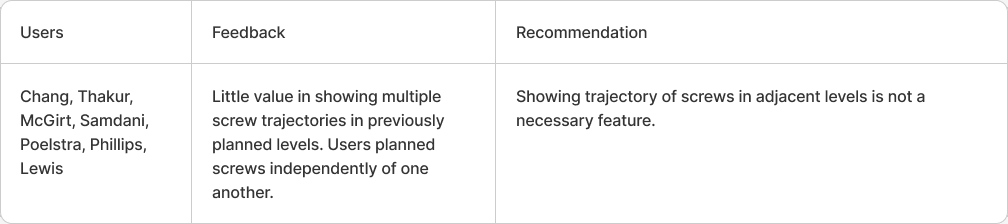
While planning a screw would it help to see the trajectory of the other screw? (show images of trajectory for levels above, below, all?)
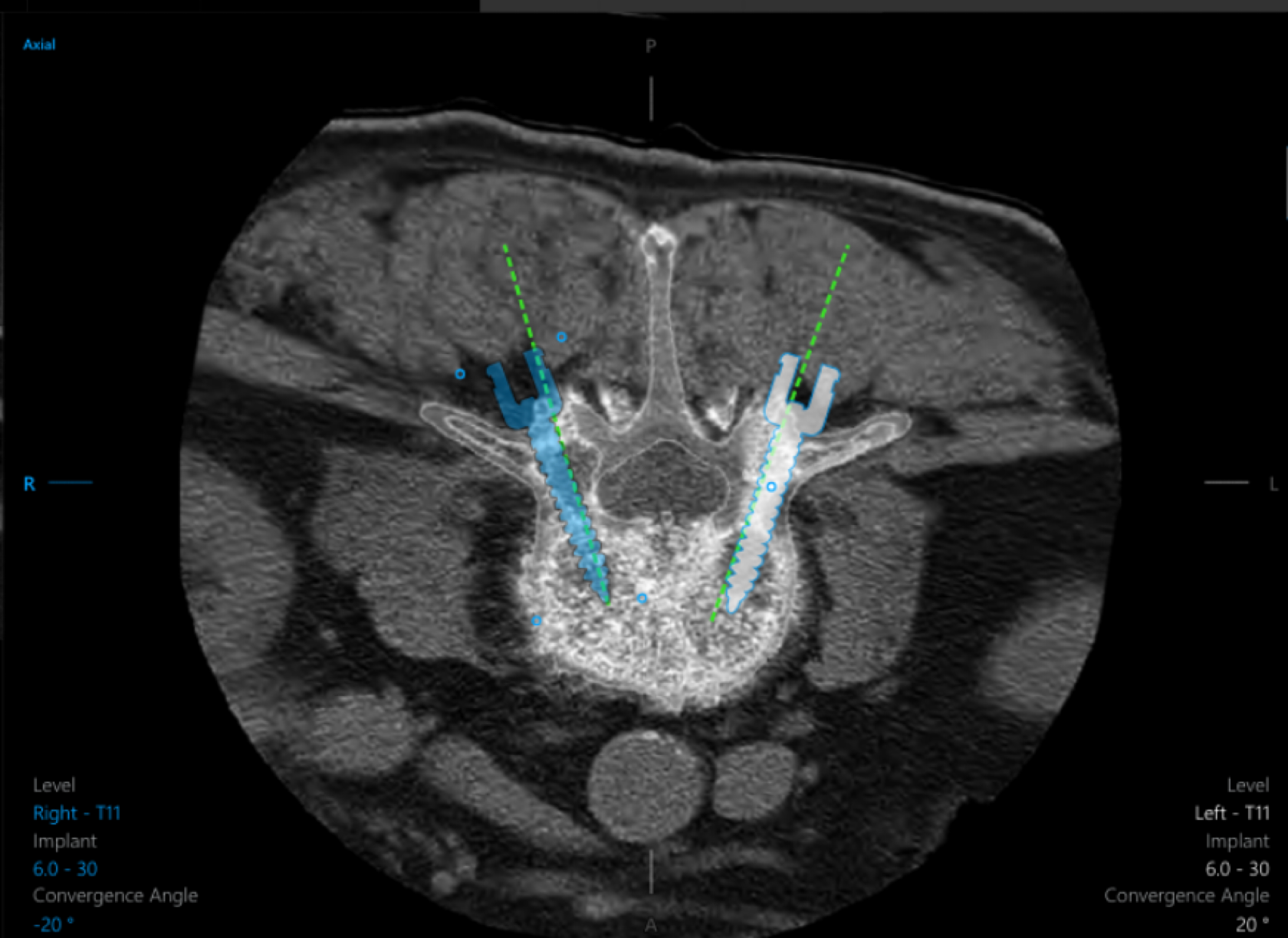
Overall Score: NA
Question 9
Question:
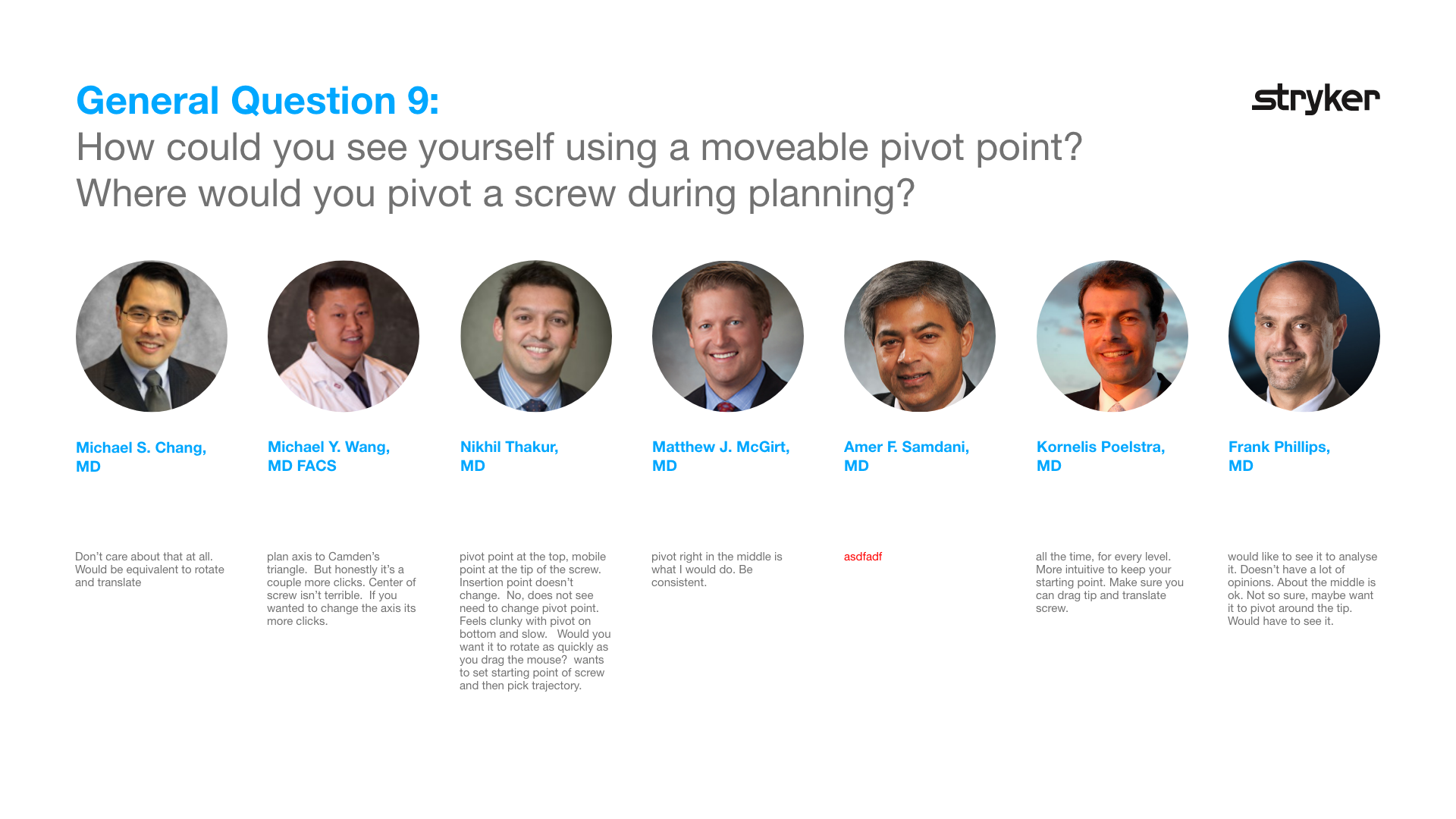
How could you see yourself using a moveable pivot point?
Where would you pivot a screw during planning?