
Spine 1.0 (planning)

Executive Summary
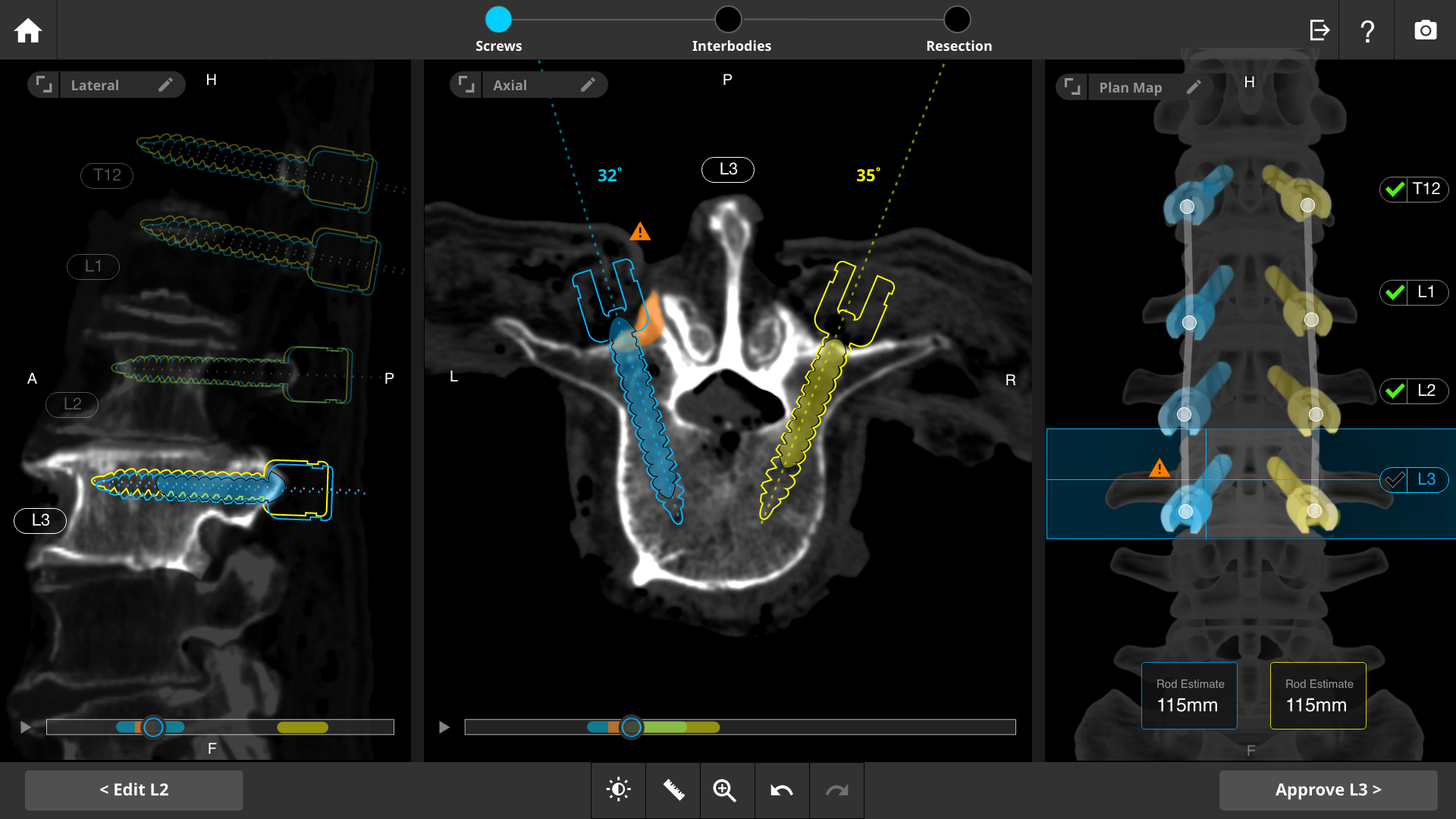
As the sole UX designer on Stryker's spine surgical robotics program, I led design for a 4-year, 46-person cross-functional effort building FDA/ISO 62366-compliant pre-operative planning software. The core design challenge was making complex 3D spinal imaging and planning data usable under real surgical time pressure, solved by surfacing complexity only when the surgeon needed it and validating every iteration directly with practicing surgeons. The result: a 2mm-accurate planning system that improved workflow efficiency by 10% while remaining fully time-neutral for the surgical teams adopting it.
Purpose
The spine planning application is designed to assist surgeons in the pre-operative planning of spine surgeries by offering precise, patient-specific tools for creating detailed surgical plans. It integrates with imaging data to generate accurate 3D models, enabling surgeons to plan implant placements, define surgical trajectories, and ensure seamless execution by the robotic system during surgery.
Key Details: Assist Surgeon in pre-op planning, Precise patient specific tools, Seamless integration with imaging, Implant planning and surgical trajectories, simulation of surgical scenarios, accurate surgical plans and outcomes
Role: Senior Staff UX Designer
Timeline: 4 Years
Team: 8 System Engineers, 25 Developers, 3
Usability Engineer, 3 Advanced Ops, 5 SQA
Engineer, 2 Strategic Marketing
RESEARCH & INSIGHTS
Outcome Studies: Research to compare surgical outcomes with and without the use of the planning application, focusing on accuracy, complication rates, and patient recovery.
Clinical Trials: Conduct trials to validate the effectiveness of the planning application in real-world surgical settings, ensuring it meets clinical needs and improves patient outcomes.
User Needs Assessment: Engage with spine surgeons, surgical teams, and other stakeholders to identify their needs, challenges, and expectations from the planning application.
Usability Testing: Conduct iterative usability testing with surgeons to refine the interface, ensuring it is intuitive and meets the demands of a high-pressure surgical environment.
Spinal Anatomy Studies: In-depth research on spinal anatomy, including variations and common pathologies, to ensure the application accurately represents patient-specific anatomy.
Imaging and Modeling: Research the most effective methods for translating imaging data (CT, MRI) into precise 3D models that surgeons can use for planning.
Integration with Imaging Modalities: Investigate the best practices for integrating various imaging modalities with the application, ensuring seamless data transfer and accurate model creation.
Robotic Compatibility: Research how the planning application’s output can be effectively translated into instructions for robotic systems to ensure precise execution during surgery.
Risk Mitigation Studies: Identify potential risks associated with surgical planning and execution, developing features within the application to mitigate these risks.
Compliance and Regulatory Research: Study relevant medical device regulations and standards (e.g., FDA, ISO) to ensure the application complies with all safety and quality requirements.
USER GROUP
Orthopedic/Neurosurgeon, PA, Circulating Nurse, Scrub Tech, Makoplasty Specialist, Radiologist & Imaging Technicians.
The problem to solve
The Spinal Surgery Planning Application enables precise, patient-specific planning for spine surgeries using robotic technology, enhancing surgical accuracy and outcomes.
Ensuring Precision and Accuracy
Navigating Complex Anatomy
Personalizing Surgery Plans
Integrating with Pre-Operative Imaging
Providing Intraoperative Guidance
Enhancing Usability and Efficiency
Supporting Risk Assessment and Decision-Making
Managing Data and Documentation
PRODUCT NEEDS
High Precision and Accuracy: Tools for precise measurement, planning, and simulation to ensure accurate surgical execution.
Seamless Integration with Imaging Modalities: Compatibility with imaging data (CT, MRI) to create accurate 3D models.
User-Friendly Interface: An intuitive design that simplifies the planning process for surgeons.
Customizability and Personalization: Ability to tailor surgical plans to individual patient anatomy.
Intraoperative Guidance Compatibility: Reliable transfer of the surgical plan to the robotic system for precise execution.
Decision Support and Risk Mitigation: Features that assist in identifying and mitigating surgical risks.
Collaboration and Communication Tools: Facilitate easy sharing of plans and collaboration among the surgical team.
Regulatory Compliance and Safety Features: Ensure adherence to medical regulations and secure data handling.
Data Management and Documentation: Comprehensive documentation and seamless integration with hospital systems.
Scalability and Compatibility: Flexibility to adapt to different surgical environments and imaging systems
Operational Context:
Understanding the specific environments where the application will be utilized, such as consultation rooms or office settings, is crucial. Tailoring the interface to meet the demands of these environments ensures seamless integration into daily clinical workflows.
Workflow Optimization:
Conducting a thorough analysis of various clinical workflows, including those of surgeons, radiologists, and medical staff, enables the optimization of data handling, decision-making processes, and communication protocols. This ensures that the application enhances operational efficiency and supports informed decision-making.
Surgeon: Dr Kornelis Poelstra, MD, PhD
Mapping out the initial workflow using index cards is essential for systematically visualizing and refining actions and interactions in the surgical planning application. By breaking tasks into manageable steps and organizing index cards for each task and decision point, we ensure clarity, alignment, and efficient optimization. This collaborative approach ensures our design meets the specific needs of medical professionals, supporting seamless surgical planning and patient care.
Hardware Considerations:
Adapting the application to operate efficiently across different hardware setups, from standard desktop computers in consultation rooms to specialized medical-grade monitors in office settings, ensures consistent performance and usability.
By addressing these essential considerations, ranging from operational adaptability and workflow optimization to advanced functionality and intuitive user interface design, we strategically developed a surgical planning application that effectively supported medical professionals in achieving precise analysis and planning for improved patient outcomes.
How did we get there?
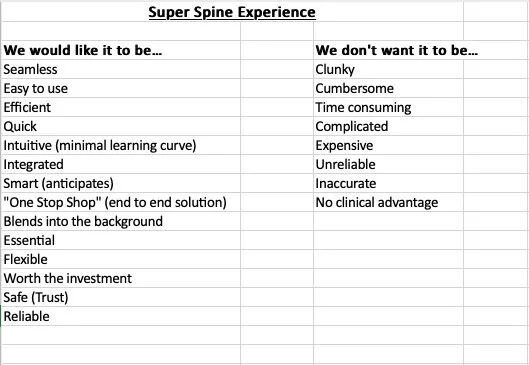
Identifying User Needs:
Begin by understanding the needs and preferences of the end-users, such as surgeons, radiologists, and other medical professionals. Assumptions are based on initial user research, which includes gathering feedback on existing tools, pain points, and desired functionalities.

Conceptual Design:
Begin with initial sketches and conceptual designs to establish the fundamental structure and user interface of the application. Prioritize simplicity and clarity, ensuring that complex medical information is presented only when necessary. The user interface should be intuitive and unobtrusive, enabling users to focus on their tasks without distraction.
Technical Feasibility:
Assess the technical feasibility of integrating X-ray imaging with digital tools for accurate segmentation and treatment planning. This includes understanding the capabilities of existing imaging systems and the potential for enhancement through software.
User Flows:
Develop user flows to visualize how different user personas will interact with the application. This helps in mapping out the sequence of actions and identifying key touchpoints for user engagement.
Wireframing:
Create low-fidelity wireframes to define the layout, navigation flow, and functionality of the application. These wireframes serve as a blueprint for the user interface design and facilitate early-stage feedback from stakeholders.
Concept development - Planning Application
Based on user input derived from workflow analysis and user needs assessment, initial concepts were developed utilizing the established design language from Stryker's Global Product Portfolio design system. This approach ensures alignment with industry standards and enhances familiarity for stakeholders. These concepts aim to integrate user feedback seamlessly, prioritizing usability and meeting the precise requirements of medical professionals in the surgical planning domain.
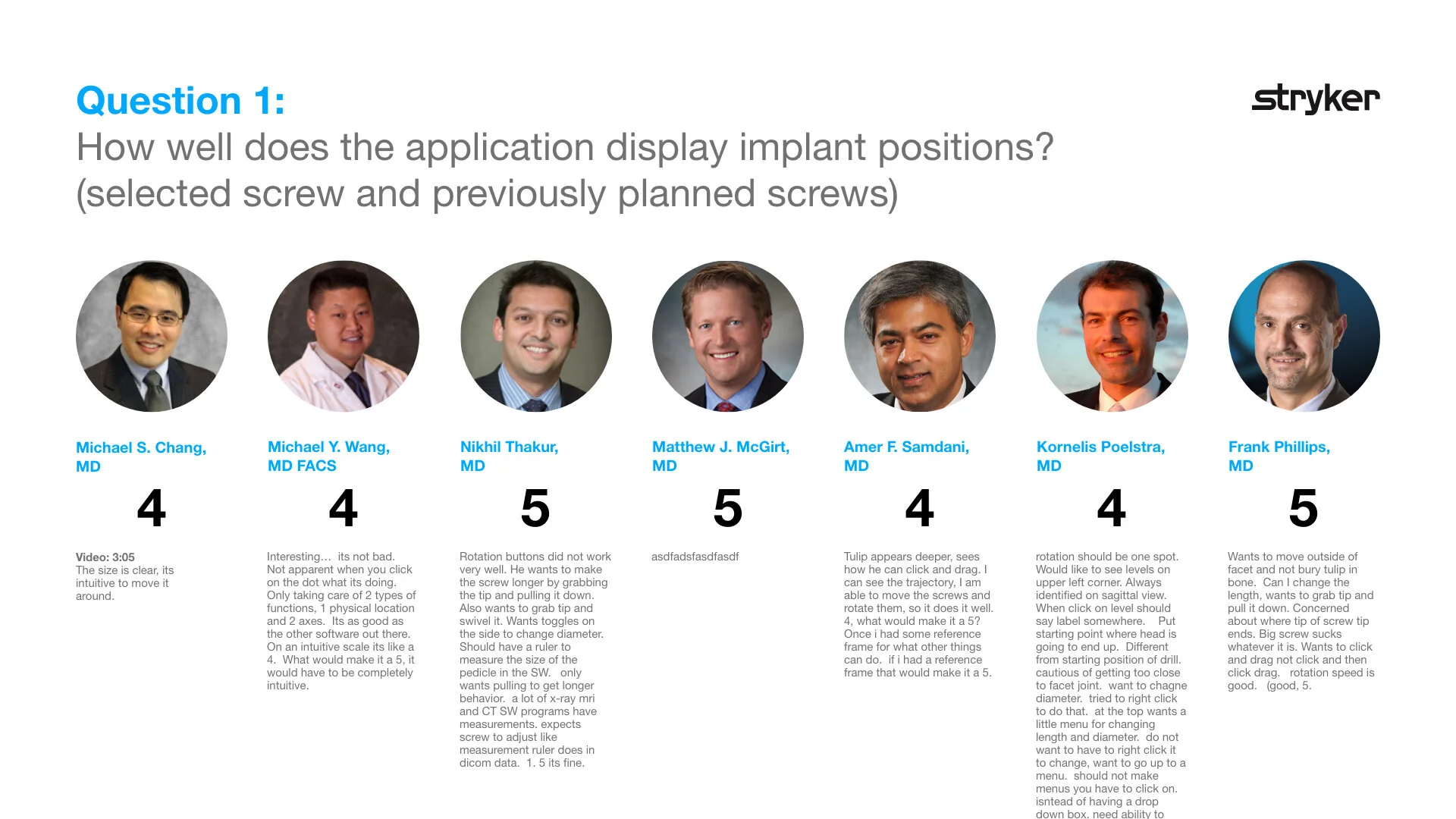
Usability Testing - Planning Spine Application
As a UX designer in the medical device space, I prioritize usability testing to ensure our products meet FDA and ISO 62366 standards. This process allows us to simulate real-world use, identify potential issues early, and refine designs based on user feedback. By documenting these tests, we demonstrate our commitment to safety, effectiveness, and user-centered design, ultimately delivering products that enhance healthcare outcomes.
3 Workflows to support
Spine Nav
Hardware touchpoints
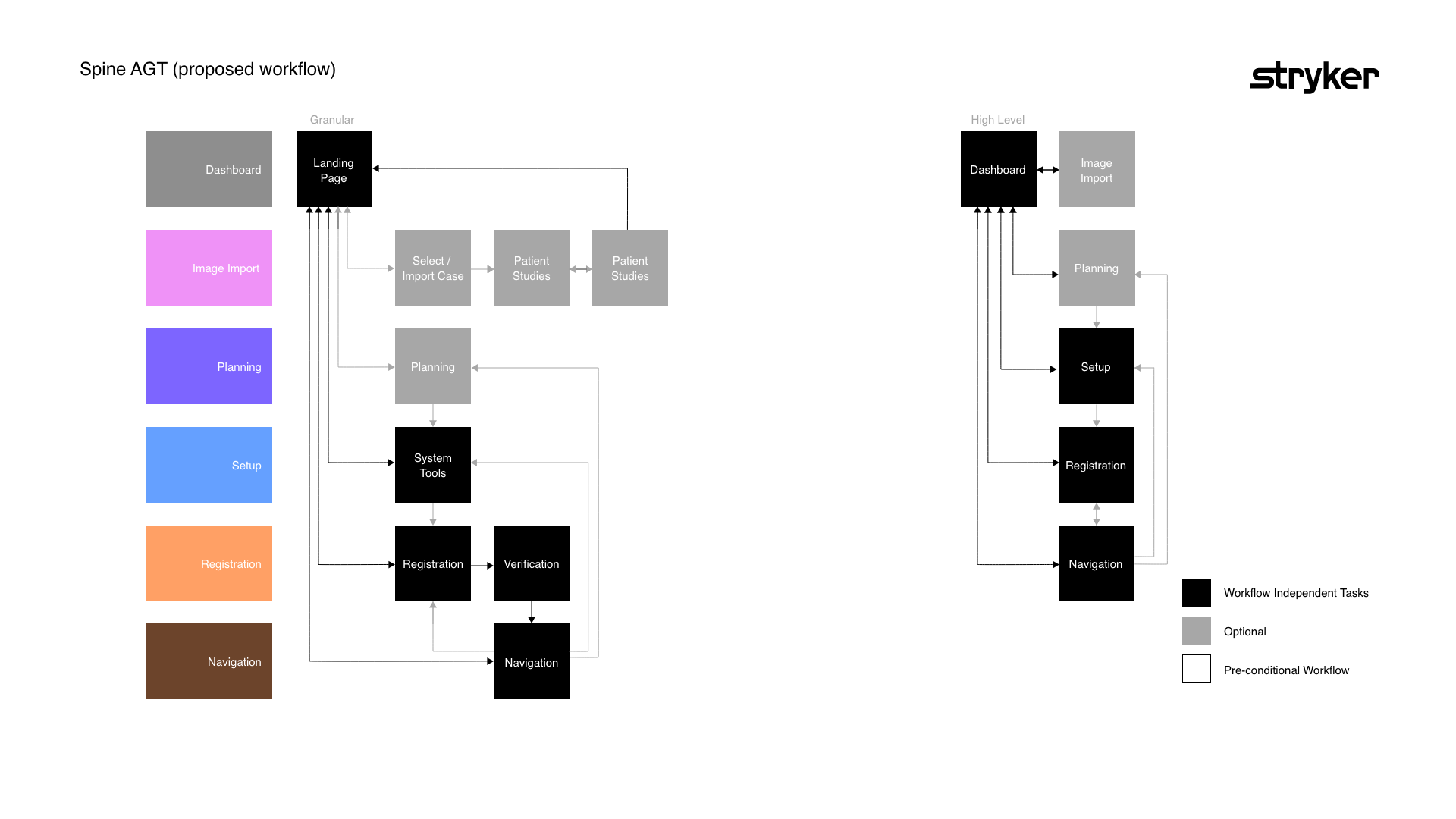
Workflow
Wireframes templates
Spine 2D to 3D
Hardware touchpoints
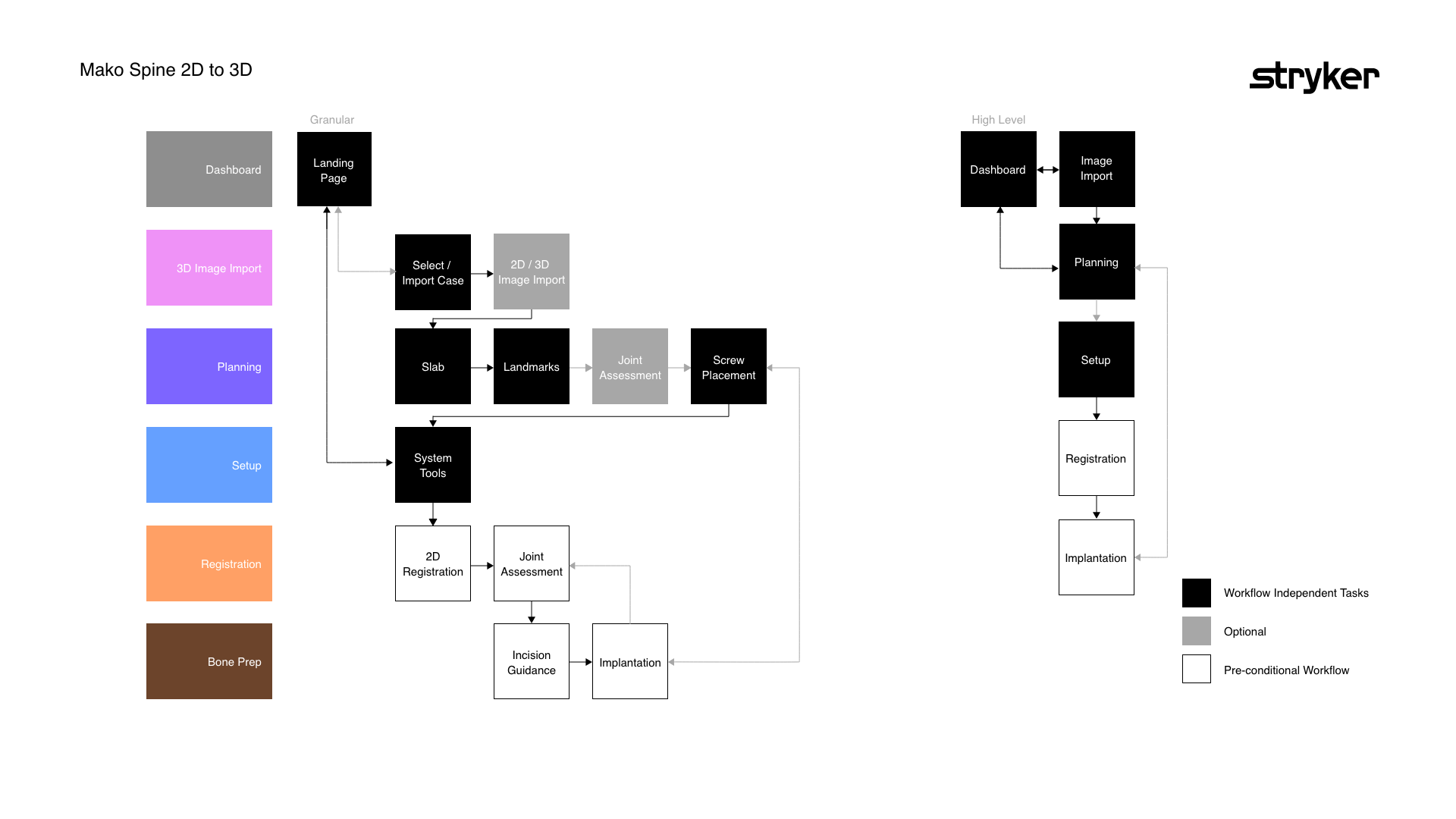
Workflow
Wireframe templates
Spine 3D
Hardware touchpoints
Workflow
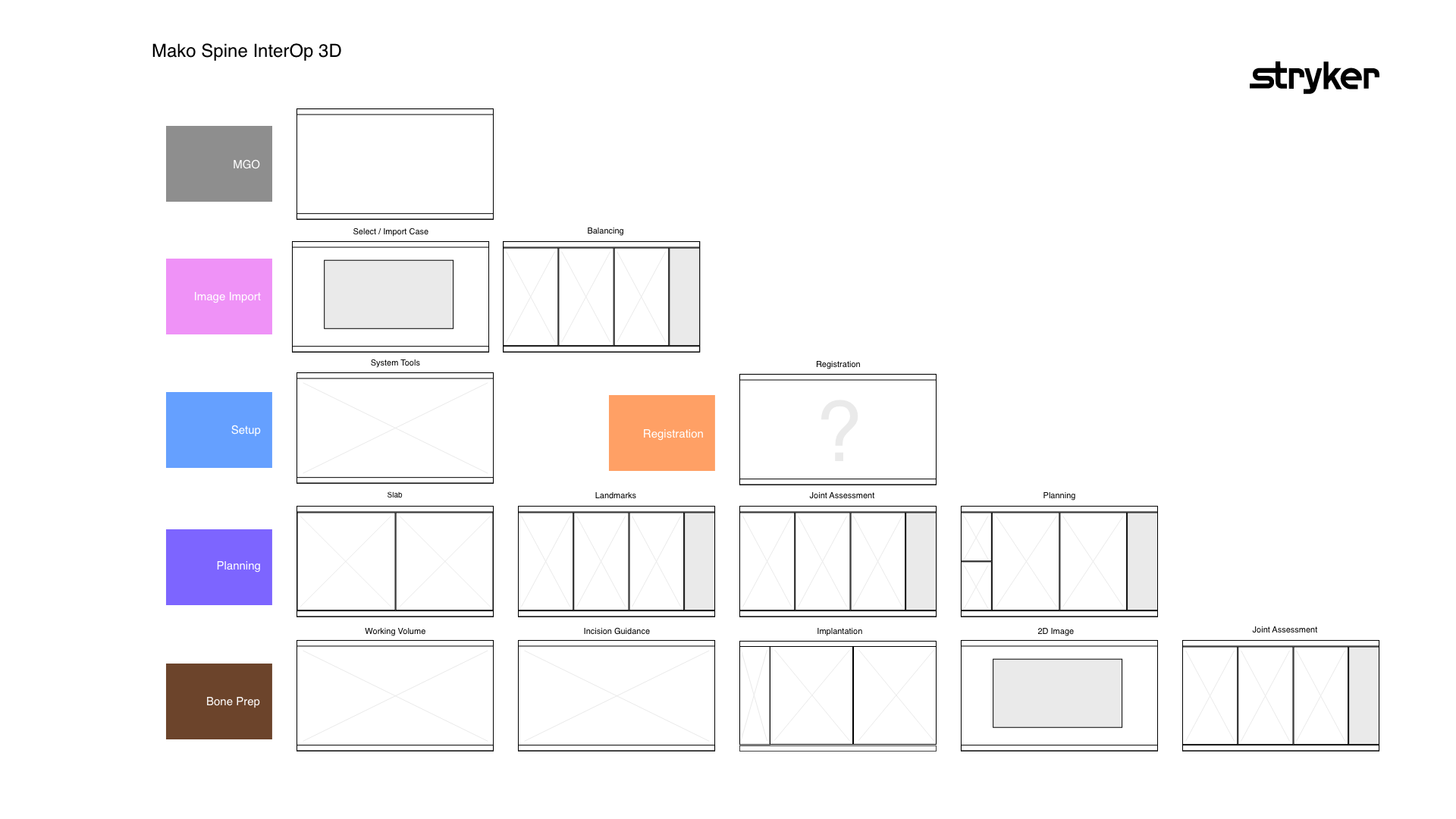
Wireframe templates